VPN for public Wi-Fi in 2026: protection in hotels, airports, and cafes
Get Telegram back in 2 minutesfrom $0.06 a day · card or crypto · 14 servers online Download for Windows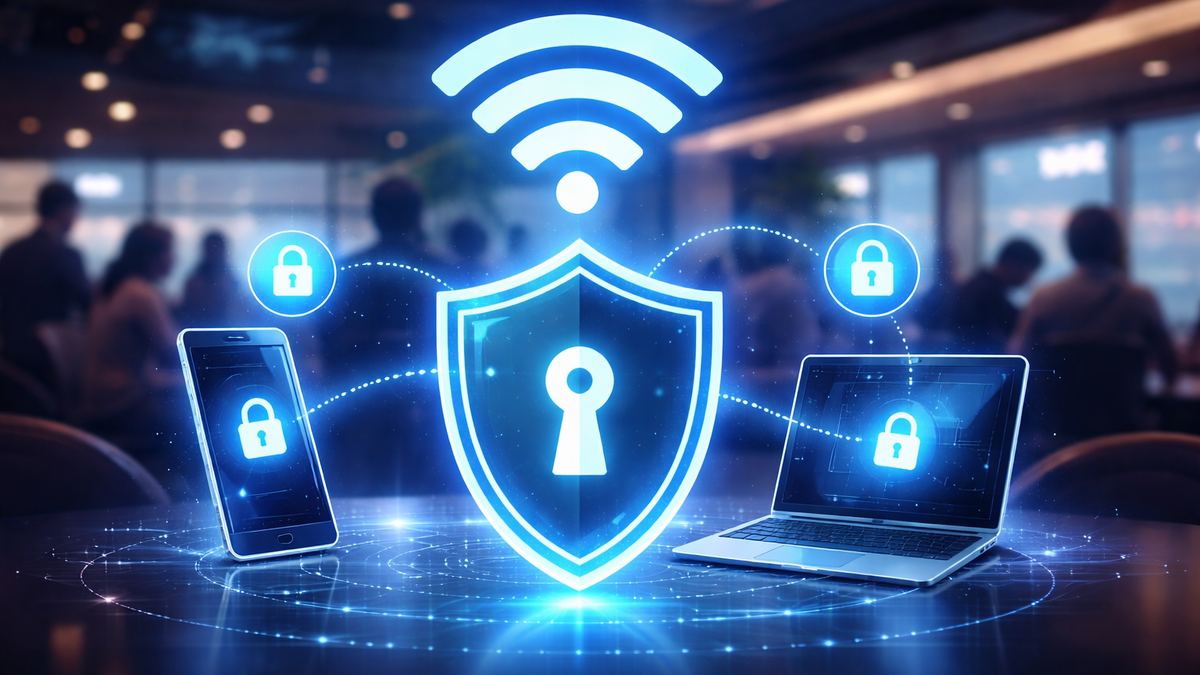
Public Wi-Fi in a hotel, airport, or cafe is a foreign network where you do not control the equipment, settings, or people around you. In 2026, the main risks remain the same: interception of traffic, MITM (man-in-the-middle), fake access points (Evil Twin), DNS spoofing and phishing through "Wi-Fi login" pages. The result is the same: even if you just want to "watch a video," you may experience a data leak, and at the same time face issues like YouTube not opening: how to fix it, Telegram not working: how to fix it, or being unable to access X and TikTok.
The most practical protection is VPN, which encrypts the connection between your device and the VPN server. On public Wi-Fi, this mitigates the main risk: anyone "listening" to the nearby network sees only an encrypted stream instead of your requests and data.
If you need a VPN specifically for travel — fast, stable, and easy to set up on different devices, the optimal choice is NvoVPN: it offers servers in Europe, the USA, and other regions., encryption AES-256 , protocols AmneziaWG/VLESS , a zero-logs policy , as well as a 5-day trial for $1.49.

Get Telegram back in 2 minutes
- Download the NvoVPN app
- Sign in with Google or email
- Tap “Connect” — Telegram works again
 from $0.06 a day
 card or crypto
 14 servers online
Why public Wi-Fi is a high-risk zone
Interception and MITM: what really happens "on the same network"
In a public network, an attacker only needs to be nearby to attempt:
- to intercept unencrypted requests and responses;
- replace traffic at the network level (MITM) if there is a weak spot somewhere;
- redirect you to a "similar" login site (email, social networks, payments).
Yes, many sites use HTTPS. But in reality, problems arise not only from "naked HTTP": old applications, incorrect device settings, weak Wi-Fi portals, DNS spoofing, plus plain phishing can be vulnerable.
Evil Twin and captive portal: phishing disguised as "connecting to Wi-Fi"
A classic in airports and hotels: a network with a similar name appears, and after connecting, a "confirm access" page opens. They may ask you to:
- "log in with your account";
- "confirm email";
- "install a certificate for internet access".
If you are asked to install a certificate, that is already a reason to stop. VPN is useful here because it minimizes the network's influence on your traffic after connecting: from there, data travels inside an encrypted tunnel, rather than "as it happens" through someone else's infrastructure.
How VPN helps in public Wi-Fi (and where the limits are)
VPN does a simple thing: creates a secure tunnel from your device to the VPN server. This provides three practical effects:
- Reduces the risk of interception: "listening to Wi-Fi" becomes almost meaningless — inside the tunnel, there is encryption.
- Fewer problems with DNS spoofing: requests go through the VPN channel, not through the hotel's/cafe's DNS.
- More stable access to services: when the hotel network cuts off part of the domains, you most often bypass this "local filter."
Important: VPN does not save you if you enter your password on a phishing page yourself. Therefore, a sensible combination is VPN + the habit of checking the website address and not installing "Wi-Fi certificates."
Why NvoVPN is convenient for public Wi-Fi in 2026
On the road and in public networks, VPN should be fast and predictable: turn it on — it works, without "magic" and endless switches. NvoVPN's strong point is its practicality:
- AmneziaWG and VLESS/XTLS-Reality: modern protocols with traffic obfuscation, suitable for regular use in public networks.
- The app automatically selects the protocol: convenient when you need to quickly set up VPN on your phone or laptop without digging into manual settings.
- Servers in Europe, the USA, and other regions: Germany, France, the Netherlands, Belarus, Kazakhstan, Kyrgyzstan — can be used to bypass restrictions and access Russian services from abroad.
- 0 logs and 24/7 support, plus a 5-day trial for $1.49 — you can safely test it on your devices and in your countries.
If you want to understand why AmneziaWG is usually faster in real life, it makes sense to reveal this in a separate material “WireGuard Technology: The Future of VPN Connections. Overview 2026”. And the overall selection criteria (speed, privacy policy, devices, countries) can be conveniently continued in the article “How to Choose the Best VPN Service in 2026. Expert Tips”.
Quick algorithm: what to do in a hotel, airport, or cafe
- Connect to Wi-Fi.
- Immediately turn on the VPN. (before logging into email/social networks/banks).
- Select a server:
- if you need maximum speed — usually closer geographically;
- if you need access to a specific service — the country where the service is reliably accessible.
- Check that everything works: YouTube, Telegram, X, TikTok.
- If something is "broken," follow the checklist below. For diagnostic habits, it's convenient to keep the article “How to check if your VPN is working correctly. Complete guide”.
Step-by-step instructions for devices
Android: VPN for YouTube on Android and Telegram via VPN
- Turn on the VPN and open YouTube. If YouTube Shorts do not open: VPN, change the server and restart the app.
- If YouTube does not play videos: VPN or DNS, check: is private DNS/filtering DNS enabled in the system, then reconnect.
- For messengers, it's usually enough to change the location: when Telegram does not open: how to fix, the problem is often with a specific hotel network, not the phone.
iPhone/iOS: VPN for YouTube on iPhone and VPN for YouTube on iOS
On iOS, the rule is simple: connect to Wi-Fi → turn on VPN → only then log into accounts. If YouTube buffering via VPN: how to speed up, select the nearest server and check if the Wi-Fi itself is limiting the speed (this is a very common reason in hotels).
Windows 10/11: VPN for YouTube on Windows 11
On a laptop while traveling, the scenario “hotel network selectively blocks something” usually arises. If YouTube is blocked in the hotel: VPN, connect NvoVPN, then open YouTube in the browser. When YouTube does not open in the browser: VPN and WebRTC, check the browser/extension settings and WebRTC leaks (this is exactly the situation where a short self-check from “How to check if your VPN is working correctly. Complete guide”helps).
macOS and Linux
On macOS and Linux, the principle is the same: VPN is always on in public networks. If you need “just to work” on all devices, it's more convenient to keep the same provider and configurations under WireGuard — then the setup is repeated everywhere, without surprises.
Smart TV / television: VPN for YouTube on Smart TV and VPN for YouTube on television
On televisions, it is usually more convenient not to install the VPN on the device itself, but to enable the VPN on the router: then both VPN for YouTube on Smart TV and VPN for YouTube on television work “as a network,” not “as an application.”
That’s why in such scenarios it makes sense to rely on the article “Guide to Setting Up VPN on a Router. Complete Guide” — this is the most stable way when there are multiple devices in the family.
Router: VPN for YouTube on the router
If you are setting up a VPN on the router, you are simultaneously solving two tasks:
- protecting all traffic in the apartment/hotel room;
- bypassing Wi-Fi network restrictions for all devices at once (phone, laptop, Smart TV).
Access to YouTube, Telegram, X, and TikTok while traveling: what is important to remember
In different countries and networks, restrictions work differently: sometimes a domain is blocked, sometimes part of the protocols is cut, and sometimes DNS interferes. Therefore, it is useful to have a clear “action map” for specific services:
- For video: VPN for YouTube and especially VPN for YouTube 2026 should provide a stable stream without interruptions — if the hotel network is weak, choose the nearest server and watch for buffering.
- For messengers: VPN for Telegram 2026 is important not only because of blocks but also for privacy on public networks. If you are interested in a separate step-by-step setup specifically for the messenger, the article “Telegram via VPN: how to set up a stable connection and avoid blocks”will be useful.
- For social networks: requests like X via VPN, VPN for X or how to access TikTok via VPN are most often resolved by the correct server location and reauthorization after changing the region.
Common problems and solutions
Telegram won’t open: how to fix it
- Change the server (sometimes a neighboring country is enough).
- Reconnect the VPN.
- If you are in a hotel/airport, check if filtering DNS is enabled in the system or Wi-Fi profile.
- If the situation repeats, do a quick connection check (IP/DNS/leaks) using the steps from “How to Check if Your VPN is Working Correctly. Complete Guide”.
YouTube won’t play videos: VPN or DNS
- Change the server to the nearest one geographically.
- Clear the YouTube/browser cache.
- Check DNS: in public networks, DNS often “breaks” access or substitutes responses.
If you want to completely close the topic of YouTube and for different devices (phone, Windows, Smart TV, router), it makes sense to continue reading in the material “VPN for YouTube in 2026: how to access blocked YouTube on any device with NvoVPN”.
YouTube buffering through VPN: how to speed up
- Choose the nearest server.
- Temporarily switch the video quality to lower to determine if the issue is with the VPN or the Wi-Fi.
- If the Wi-Fi is overloaded (typical for hotels in the evening), the VPN will not "create" speed out of thin air — it only secures the channel.
Mini-FAQ
Do I need to turn on the VPN if I'm just using Telegram in a café?
Yes. Public Wi-Fi is not "home internet," and privacy is weaker by default. Therefore Telegram through VPN — is normal hygiene, not "something for paranoids."
What is better for a TV: VPN on the TV itself or VPN on the router?
In most cases, the router is simpler and more stable because it covers the entire network at once. If you have a request “YouTube on Smart TV is blocked: VPN on the router”, this is usually how it is resolved.
Why does YouTube sometimes "lag" specifically with VPN?
Most often, the reason is the distance to the server or the load on the Wi-Fi network. The solution is usually simple: switch to a closer or less loaded server.
Conclusion
To safely use public Wi-Fi in 2026, you need a simple habit: connect to the network → turn on the VPN → only then log into accounts and open YouTube/Telegram/X/TikTok. And to ensure this habit doesn’t turn into constant adjustments, the VPN must be fast and stable on different platforms — that’s why NvoVPN appears to be the most practical choice here: AmneziaWG, AES-256, 0 logs, 5-day trial for $1.49, refund within 30 days only if the service does not work due to our fault.
Get Telegram back in 2 minutes
- Download the NvoVPN app
- Sign in with Google or email
- Tap “Connect” — Telegram works again
1-day trial — 29 ₽, no auto-renewal